
ARCTIC P12 Pro A-RGB
4.7Editor score
High static pressure
3000 RPM range
Fluid dynamic bearing
Discover the top addressable RGB fans for PC builds. This guide compares performance, noise, lighting effects, and build quality across ten leading models.
Choosing the right addressable RGB fans can transform your PC build both visually and functionally. These fans offer customizable lighting effects while maintaining efficient cooling for your components during intense use.
We evaluated ten top models based on airflow performance, noise levels, bearing quality, and lighting synchronization capabilities. Our analysis covers budget-friendly options alongside premium fans designed for high-end systems.
Each pick highlights key strengths like daisy chaining, static pressure, and smart controls. Keep in mind that availability and pricing may fluctuate, so check current listings before making your final decision.
4.7Editor score

4.7Editor score
4.8Editor score
Below is a side-by-side comparison of the ten leading addressable RGB fans available today. This table summarizes key specifications to help you quickly identify the model that fits your specific cooling and aesthetic needs.



The Thermalright TL-C12C-S X5 stands out as a top performer in the addressable RGB fan market. With a 4.7 rating, it delivers consistent cooling and smooth lighting effects ideal for most builds.
We may earn a commission when you buy through this link, at no additional cost to you.
Its S-FDB bearing minimizes vibration while maintaining a maximum speed of 1550 RPM. The fans offer 66.17 CFM airflow ensuring your system stays cool even during demanding workloads or gaming sessions.
While it lacks some advanced features found in premium models, the trade-off is acceptable for the value. The 17 lighting modes provide enough variety without requiring complex controller setups.
Anyone seeking reliable cooling with vibrant RGB visuals should consider this five-pack. It balances performance and aesthetics effectively making it our editor's choice for balanced PC builds.
The optimized blade design pushes air efficiently through radiators and cases reducing hot spots in tight environments.
Sync your fans with motherboard software for synchronized color transitions that match your overall system theme.
We may earn a commission when you buy through this link, at no additional cost to you.
The ARCTIC P12 Pro A-RGB offers incredible value for builders on a budget. Despite its affordable cost, it matches high-end performance in critical cooling areas like static pressure.
We may earn a commission when you buy through this link, at no additional cost to you.
Its PWM control allows speeds up to 3000 RPM ensuring dense radiators receive adequate airflow. The fluid dynamic bearing reduces noise significantly making it suitable for quiet workstations.
While the lighting is less flashy than competitors the focus here is purely on performance and reliability. For users prioritizing cooling over visual spectacle this fan is unmatched.
We recommend this fan for budget builds or secondary installations where cost matters most. It proves you do not need to spend a fortune to get excellent thermal results.
High static pressure ensures air pushes through thick radiators maintaining efficiency even with restrictive airflow paths.
Automatic balancing and tight tolerances reduce vibrations for smoother operation across all speed ranges.
We may earn a commission when you buy through this link, at no additional cost to you.
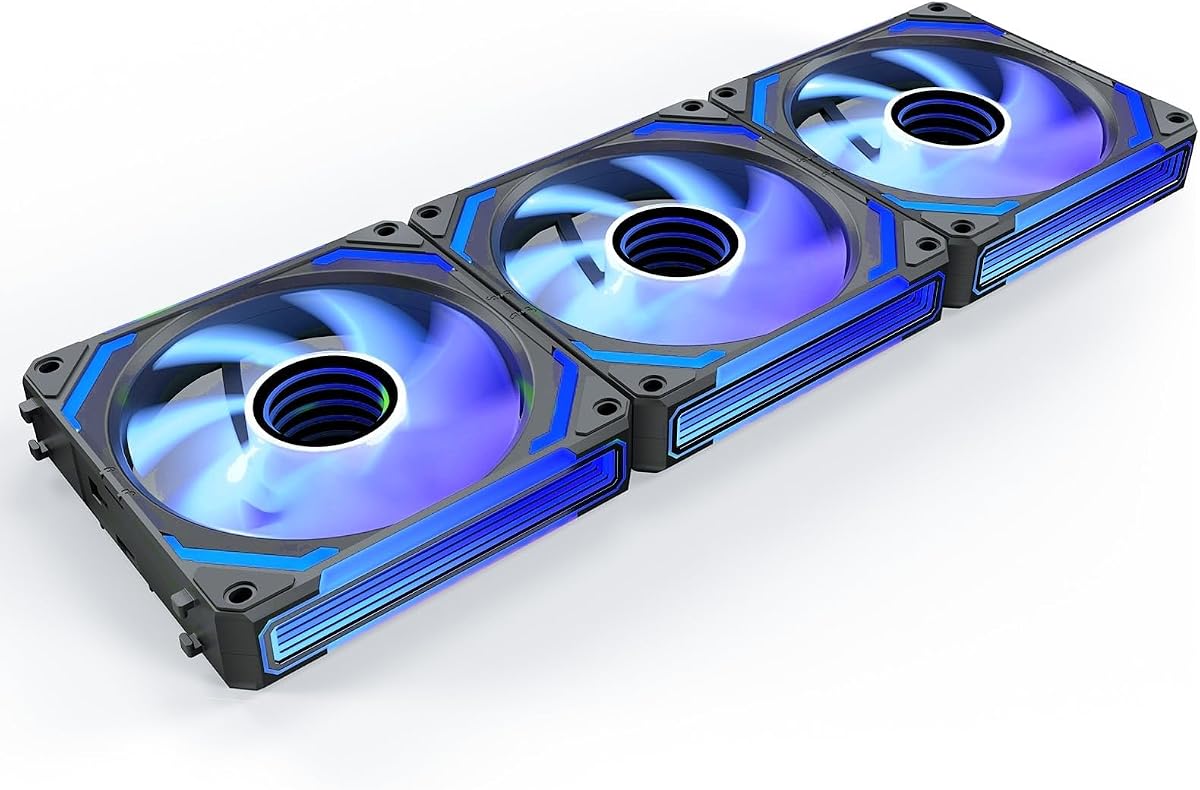
The AsiaHorse COSMIQ 120mm fan delivers a premium visual experience through its infinity mirror lighting. This unique design creates deep layered visuals that elevate any build aesthetic instantly.
We may earn a commission when you buy through this link, at no additional cost to you.
Beyond looks it offers solid performance with 68.5 CFM airflow and 2000 RPM speeds. The built-in music sync adds dynamic interactivity changing colors based on audio input from your system.
While pricier than standard options the included controller and daisy chain design reduce cable clutter effectively. This justifies the investment for enthusiasts focused on aesthetics.
Choose this fan if you want your PC to stand out with high-end visuals. It combines style and substance making it a top choice for showpiece builds.
Music sync responds to game sounds and audio creating dynamic lighting that reacts to your activity.
Exclusive interlocking connections simplify wiring and keep internal components looking organized and tidy.
We may earn a commission when you buy through this link, at no additional cost to you.
The CORSAIR RS120 ARGB excels in cable management through its streamlined daisy-chain design. This feature reduces clutter by requiring only one PWM and ARGB connector for multiple fans.
We may earn a commission when you buy through this link, at no additional cost to you.
With 72.8 CFM airflow and speeds up to 2100 RPM it provides robust cooling for high-performance systems. The magnetic dome bearing ensures smooth operation with minimal noise.
While it needs compatible motherboard headers the benefits for clean builds are significant. The air guide technology also directs airflow effectively toward critical components.
This pack is ideal for builders prioritizing clean aesthetics alongside cooling. It balances ease of installation with strong performance suitable for most modern cases.
Single connection points per fan chain minimize wire count and simplify routing inside compact chassis.
Anti-vortex vanes direct air precisely where needed improving cooling efficiency on radiators and components.
We may earn a commission when you buy through this link, at no additional cost to you.
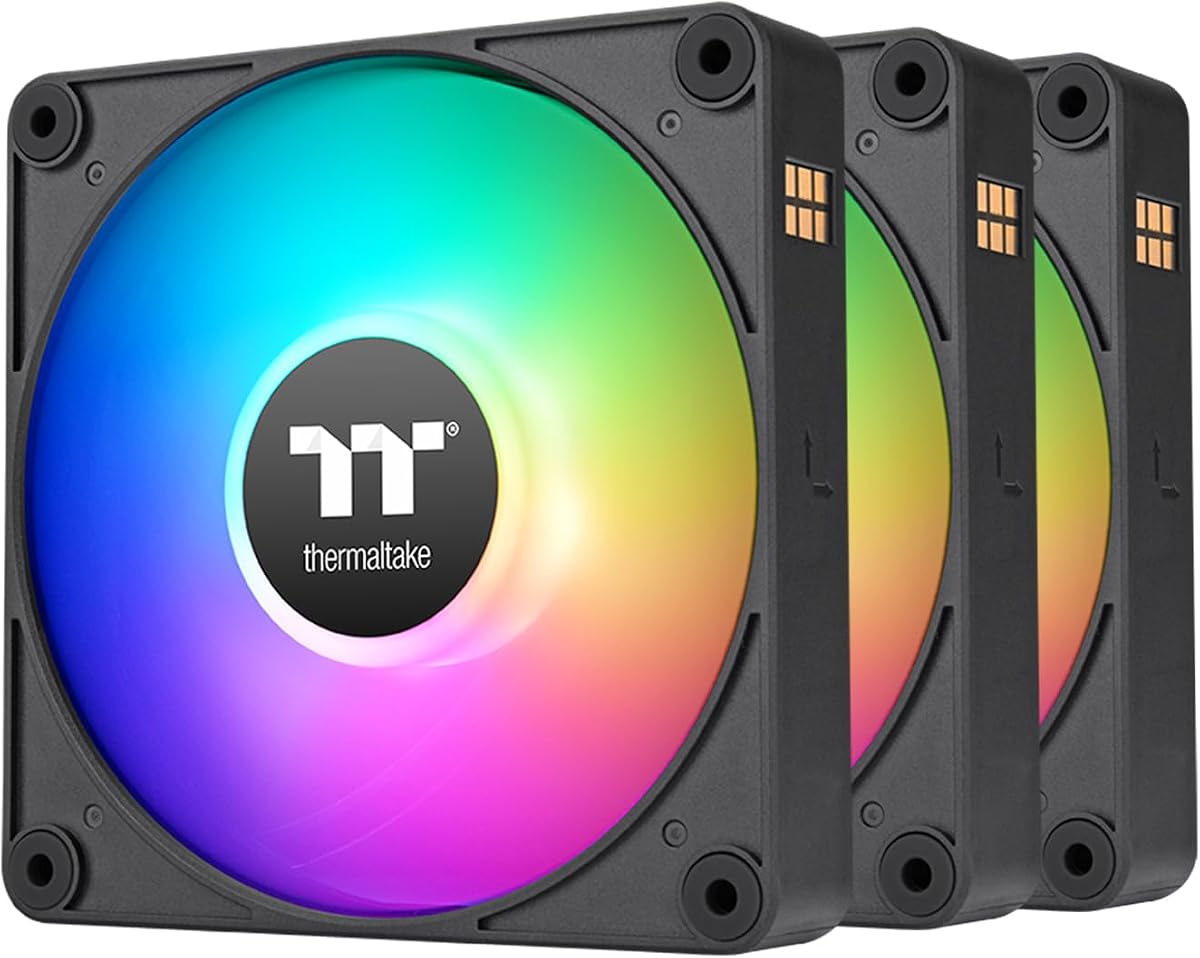
The Thermaltake CT120 EX ARGB simplifies installation with its MagForce 2.0 magnetic connection. This allows fans to link securely without traditional clip-on cable management.
We may earn a commission when you buy through this link, at no additional cost to you.
It delivers 16.8 million colors for vibrant customization synchronized via standard motherboard headers. The anti-vibration system ensures stable performance even at higher speeds.
While some users may prefer different connection types the magnetic design adds durability and ease. The hydraulic bearing provides long life and quiet operation.
This pack suits builders wanting quick setup with strong visuals. It balances ease of use with reliable cooling making it a solid choice for standard cases.
Integrated magnets connect fans quickly reducing strain on wires during assembly and future modifications.
Embedded anti-vibration mounts minimize resonance keeping noise levels low even during peak performance.
We may earn a commission when you buy through this link, at no additional cost to you.
This six-pack offers a unique combination of four forward and two reverse fans designed for optimal airflow cycles. Reverse fans improve intake visibility and cooling efficiency in side-mounted cases.
We may earn a commission when you buy through this link, at no additional cost to you.
Each fan packs 28 LEDs creating vivid lighting effects across three sides. The included hub simplifies control by managing speed and lighting from one central point.
While reverse fans may require specific case clearance the visual and cooling benefits are clear. The prism design enhances light reflection making colors pop.
Choose this pack for complex airflow needs or large cases. It provides comprehensive cooling and lighting solutions in one convenient set for serious builders.
Reverse fans allow front-facing lights even when installed as intakes balancing style and thermal performance.
The combined hub manages PWM speed and ARGB lighting reducing cables and simplifying system tuning.
We may earn a commission when you buy through this link, at no additional cost to you.
The Thermalright TL-C12C-S X3 offers a compact three-pack ideal for smaller cases or targeted cooling upgrades. It maintains the quality of the five-pack with superior cable management.
We may earn a commission when you buy through this link, at no additional cost to you.
With 55cm cables it easily reaches headers without strain reducing cable clutter in tight spaces. The S-FDB bearing ensures quiet operation suitable for office or home builds.
While control features remain simple the performance speaks for itself with high airflow and minimal vibration. The design prioritizes reliability over complex features.
This option suits those needing a few high-quality fans rather than a full set. It delivers consistent performance and quiet operation for smaller setups.
Long cables provide flexibility for routing in confined cases improving overall cable management and aesthetics.
Optimized blades and bearings keep noise low even under full load ensuring a peaceful user experience.
We may earn a commission when you buy through this link, at no additional cost to you.
The Thermalright TL-C12C-S X5 Air focuses on intelligent temperature control adjusting speeds automatically based on system heat. This ensures cooling only when needed reducing unnecessary noise.
We may earn a commission when you buy through this link, at no additional cost to you.
It maintains 1550 RPM speeds with 66.17 CFM airflow for effective thermal management. The ARGB lighting supports motherboard sync delivering vibrant effects without manual tuning.
While you need compatible headers for full benefits the automated control simplifies daily operation. It is a reliable choice for passive and active cooling scenarios.
We recommend this for users valuing automation and efficiency. It balances silent operation with strong cooling for versatile system management.
PWM temperature control automatically optimizes speed for better efficiency and lower noise during idle.
Sync capabilities allow seamless integration with other system components for unified visual effects.
We may earn a commission when you buy through this link, at no additional cost to you.
The Thermaltake CT120 ARGB dual-pack offers a balanced entry into RGB cooling with strong performance. It features 9 addressable LEDs and supports standard motherboard synchronization easily.
We may earn a commission when you buy through this link, at no additional cost to you.
Daisy-chain connections reduce ports required simplifying wiring for two fans. The hydraulic bearing ensures smooth spinning and reduced noise over time.
While a two-pack limits total coverage it works well for front or rear intake exhaust setups. The design prioritizes clean aesthetics and quiet operation.
This set suits users adding a few RGB fans to an existing build. It balances visual appeal with reliable cooling without requiring major system changes.
Daisy-chain design reduces port usage and keeps internal layouts tidy and organized.
Hydraulic bearings maintain smooth operation and low noise even with extended daily usage.
We may earn a commission when you buy through this link, at no additional cost to you.
The Thermaltake LE120 ARGB trio includes a dedicated splitter for quick installation. It delivers 66.1 CFM airflow with minimal noise making it suitable for standard case setups.
We may earn a commission when you buy through this link, at no additional cost to you.
Daisy chain cables simplify wiring reducing clutter and improving internal visibility. The 16.8 million color range allows extensive customization through motherboard sync.
While speed options are moderate the reliability and ease of installation are strong points. This pack works well for general cooling and visual upgrades.
We recommend this for those wanting straightforward installation and reliable airflow. It offers a complete solution for adding three fans without extra hardware.
Included splitter enables easy fan connection without needing extra adapters or complex wiring.
Sixty-six CFM ensures efficient cooling for radiators and case fans in most configurations.
We may earn a commission when you buy through this link, at no additional cost to you.
Selecting the best addressable RGB fans involves balancing performance, lighting capabilities, and ease of installation. Here are key factors to consider before buying.
Airflow measured in CFM determines how much air the fan moves for general case cooling. Static pressure measured in mm-H2O is critical for pushing air through dense radiators or filters.
Prioritize high airflow for intake or exhaust fans and high static pressure for radiator installations.
PWM fans allow precise speed control via motherboard headers reducing noise at lower temperatures. DC fans rely on voltage changes which are less precise for speed adjustment.
Always choose PWM fans for systems requiring intelligent thermal management and quiet operation.
Ensure your motherboard supports the fan's RGB connector standard such as 5V 3-pin ARGB or 12V 4-pin RGB. Mismatched connectors can prevent lighting control or damage ports.
Check your motherboard manual to confirm compatible RGB headers before purchasing.
Daisy-chain connectors reduce cable clutter by linking multiple fans to a single header. This simplifies installation especially in compact cases with limited routing space.
Opt for fans with daisy-chain options to improve internal cleanliness and cable management.
Bearing types like FDB or sleeve bearings determine longevity and noise levels. Fluid Dynamic Bearings offer smoother operation and longer service life than sleeve designs.
Invest in fans with advanced bearings for long-term quiet performance.
Anti-vibration mounting systems dampen fan noise and reduce resonance inside the case. Rubber grommets or anti-vibration corners help minimize unnecessary noise.
Look for fans with robust mounting systems for quieter builds.
Check if fans support standard software or proprietary controllers. Standard protocols allow synchronization with other components for unified lighting.
Universal compatibility ensures your lighting effects match across different hardware brands.
Buy packs that match your case needs rather than individual fans to save cost and ensure consistency. Three-pack or five-pack options are common for complete builds.
Calculate required intake and exhaust positions before purchasing to avoid excess or shortages.
Install the fans securely using provided screws and anti-vibration mounts to prevent rattling. Ensure the PWM and ARGB connectors are properly aligned with motherboard headers.
Use system software to configure lighting effects and fan curves. Test sync capabilities with other RGB components to ensure consistent color transitions.
Regularly clean dust from fan blades using compressed air to maintain airflow efficiency. Dust buildup increases noise and strain on the motor over time.
Not always. Many fans connect directly to motherboard headers. If your board lacks enough ports a splitter hub may be required for multiple fans.
Yes if they use the same connector type. Ensure software supports all brands for synchronized effects across different hardware.
RGB lights change colors in sequence. ARGB allows individual LEDs to show different colors at once providing complex visual effects.
Not necessarily. Look for fans with advanced bearings and anti-vibration features. PWM control also keeps noise low at idle speeds.
At least one intake and one exhaust. Larger cases benefit from multiple fans to maintain balanced airflow and cooling.
Yes. RGB fans still function as standard cooling fans. You can disable lighting if only performance matters.
The top picks offer a range of options from the high-value ARCTIC P12 Pro to the visually stunning AsiaHorse COSMIQ. Select based on your priority for cooling, aesthetics, or budget.
Focus on compatibility and airflow needs first. Ensure your motherboard supports the connectors to avoid issues with lighting or speed control.
Prices and availability fluctuate so review current listings before finalizing your order. This guide helps you find fans that deliver both beauty and performance.